HR maintains the people record
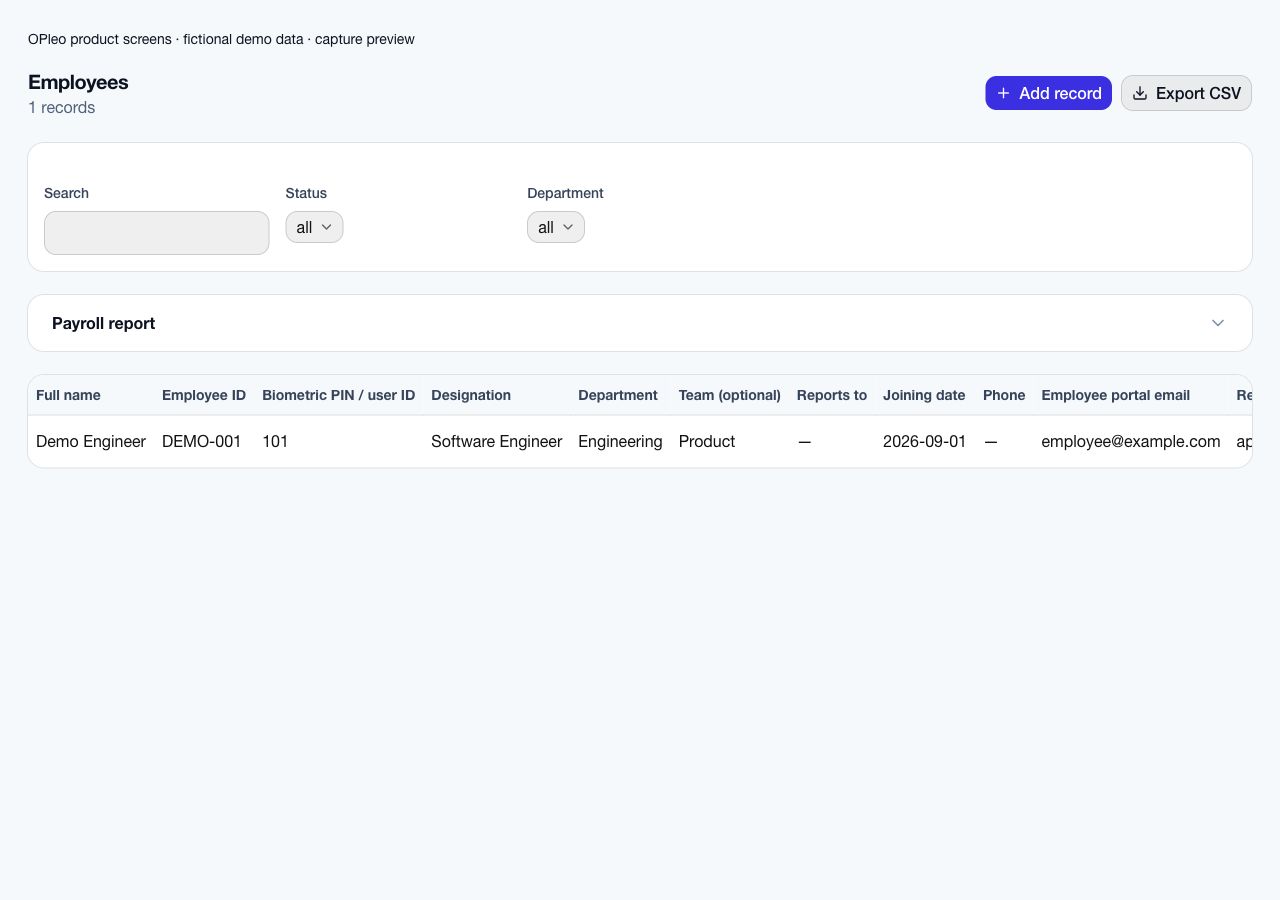
Confirm employee IDs, salary, department, reporting line, work arrangement and portal email.

Industry workflow
OPleo helps AEC firms organise architects, engineers, consultants and support teams, manage attendance and leave, and prepare reviewed payroll inputs across office and approved remote work.
OPleo helps AEC firms organise architects, engineers, consultants and support teams, manage attendance and leave, and prepare reviewed payroll inputs across office and approved remote work.
A consulting engineer requests an approved remote day while an architect has a missing office punch. The supervisor handles the request, HR confirms the work arrangement, and the attendance owner reconciles the punch before accounts reviews the month. Keep client project allocation in its appropriate system.
This is a representative workflow using existing OPleo features, not an industry customer case study. Employee IDs, departments, optional teams and supervisors supply the shared context; an assigned reviewer remains responsible for corrections.
Confirm employee IDs, salary, department, reporting line, work arrangement and portal email.
Use the configured leave approval chain and assign an owner to attendance exceptions.
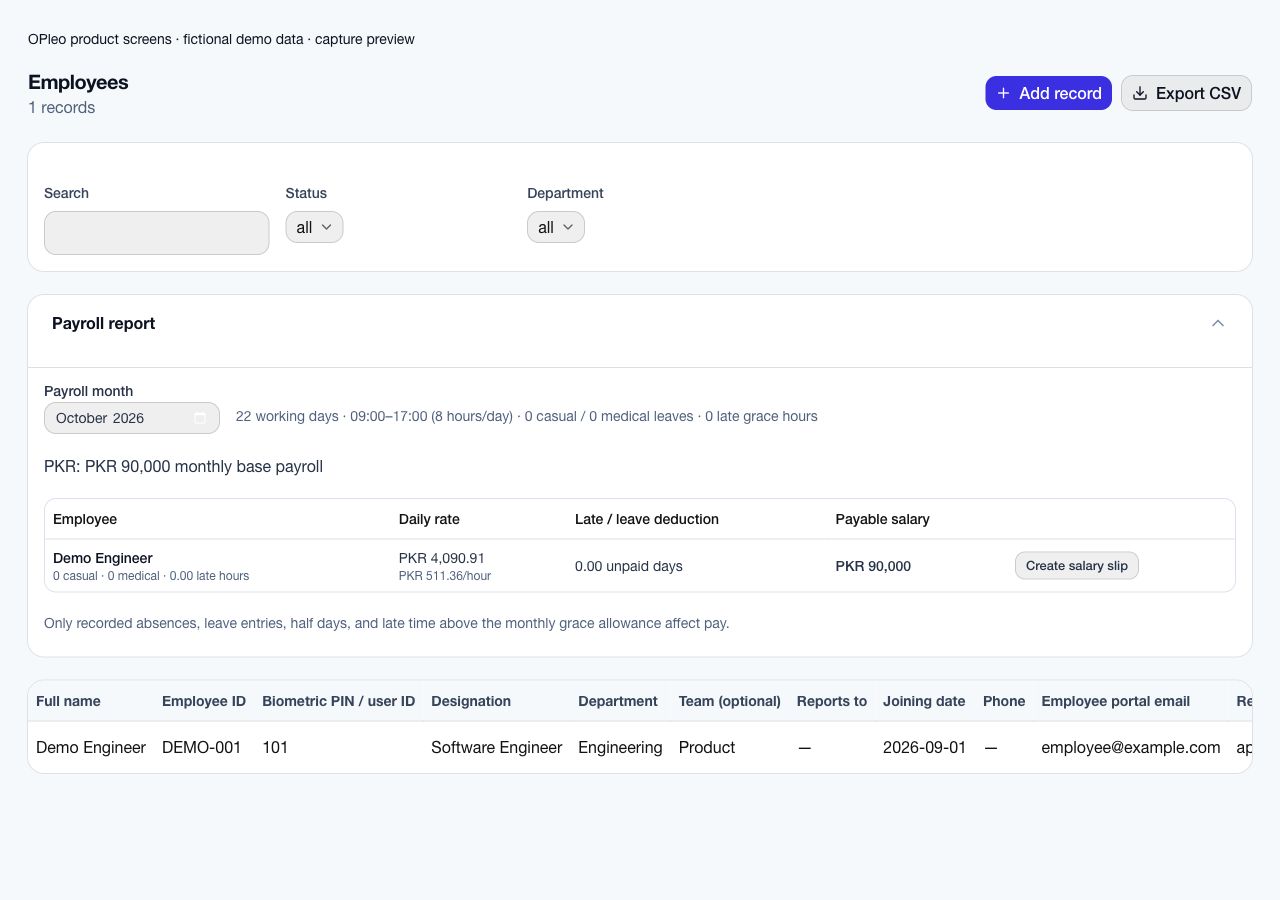
Review calendar-derived rates, attendance, leave and deductions before creating salary slips. Issuing a slip does not disburse funds.
Pilot one professional team and one support group. Confirm reporting lines, office and remote arrangements, leave approvals, attendance sources and who reviews payroll exceptions. Bring a redacted example month and note any project time or client billing requirements separately.
Start with a redacted employee list and one reviewed attendance/payroll month. Deduplicate employee IDs, confirm salary and currency, map departments and supervisors, and check portal emails. Confirm the supported entry or import format before assuming an old workbook can upload unchanged.
Configure working weekends, office times, leave allowance and late grace. Pilot normal attendance, a missing punch, approved leave and a late arrival. Compare the preview with the same source month and record why each difference occurs.
Name the owner of attendance corrections and the payroll approver. Agree a cutover date and one authoritative record for new activity; retain historical files under your record policy. Expand after the pilot is reconciled and staff can use the request and review workflows.
Employee tasks and attendance do not establish project timesheets, utilisation reporting, client billing, project labour costing, professional credential renewal or site assignment history. Validate these specialist requirements before rollout.
Monthly payroll previews do not determine statutory obligations. Agree tax, contributions, specialist wage calculations and final payment ownership with your responsible reviewer.
Architecture, engineering and consulting firms often need a clear handoff between discipline leads, project coordinators, HR and accounts. Use departments, optional teams and supervisor relationships to represent the current organisation. Employee records, leave requests and attendance use that shared structure, while permissions keep employee portal access scoped.
An office engineer may use a mapped biometric device; an approved hybrid employee can use portal attendance for the permitted date. Supervisors review leave through the configured approval chain. Before payroll, the attendance owner resolves missing punches and accounts checks calendar-derived rates and supported deductions.
See employee records and reporting relationships →Review office, remote and manual attendance paths →
Begin with one discipline team and a support group. Confirm employee IDs, reporting lines, work arrangements, device mapping, leave approvals and the payroll reviewer. Reconcile one representative month before inviting the rest of the firm.
OPleo's employee and attendance workflows do not establish billable project timesheets, utilisation reports, client invoicing from recorded hours, project labour costing, professional credential renewal or a multi-site assignment ledger. If those are central to an AEC firm's evaluation, validate them as separate requirements rather than inferring them from employee tasks or attendance.
Inside the product
Captured from OPleo’s product components with fictional demo records. These are product views, not customer results; each capture shows a separate workflow state.
Yes. Supported device punches can serve office staff, while configured always-remote and approved hybrid arrangements use portal attendance.
The described employee tasks and attendance workflows do not establish project timesheets, client billing or utilisation tracking. Validate those requirements separately.
OPleo supports role-linked vacancies, applications, candidate stages and employee records. The hiring team completes the onboarding handoff by confirming the employee's role, joining date, supervisor, portal access and attendance setup.
Use a redacted example, your attendance setup and the decisions your team needs to make. We can review fit before you move live records.
Book a workflow demo