HR maintains the people record
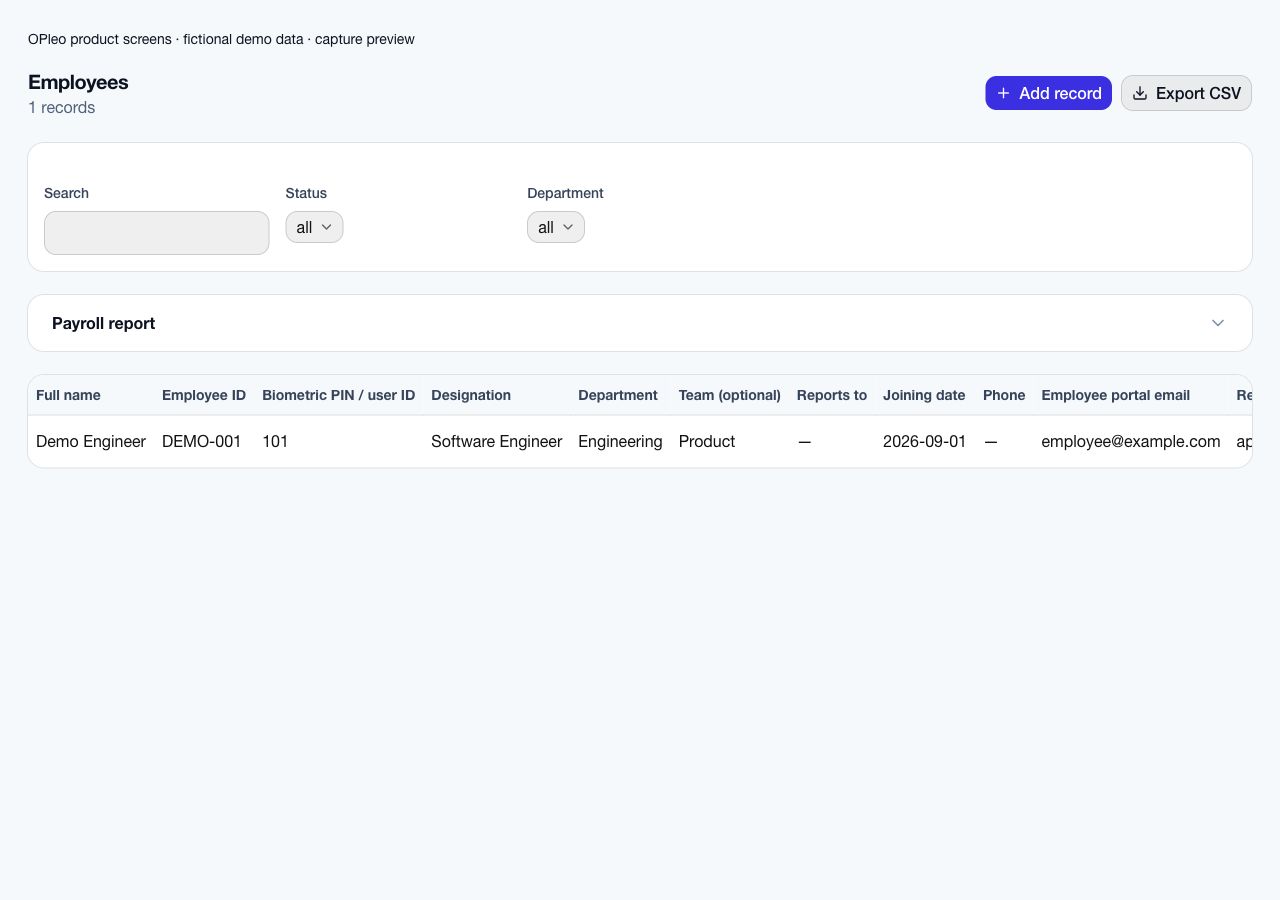
Confirm employee IDs, salary, department, reporting line, work arrangement and portal email.

Industry workflow
OPleo helps clinic operators maintain a clean staff structure, record attendance, route leave through supervisors and calculate payroll from the organisation's working policy.
OPleo helps clinic operators maintain a clean staff structure, record attendance, route leave through supervisors and calculate payroll from the organisation's working policy.
A receptionist requests leave through the portal. The configured reporting chain reviews the request, and approved working-day leave reaches attendance. The attendance owner checks missing punches before accounts reviews salary inputs. Coverage for the reception desk remains a supervisor's scheduling decision.
This is a representative workflow using existing OPleo features, not an industry customer case study. Employee IDs, departments, optional teams and supervisors supply the shared context; an assigned reviewer remains responsible for corrections.
Confirm employee IDs, salary, department, reporting line, work arrangement and portal email.
Use the configured leave approval chain and assign an owner to attendance exceptions.
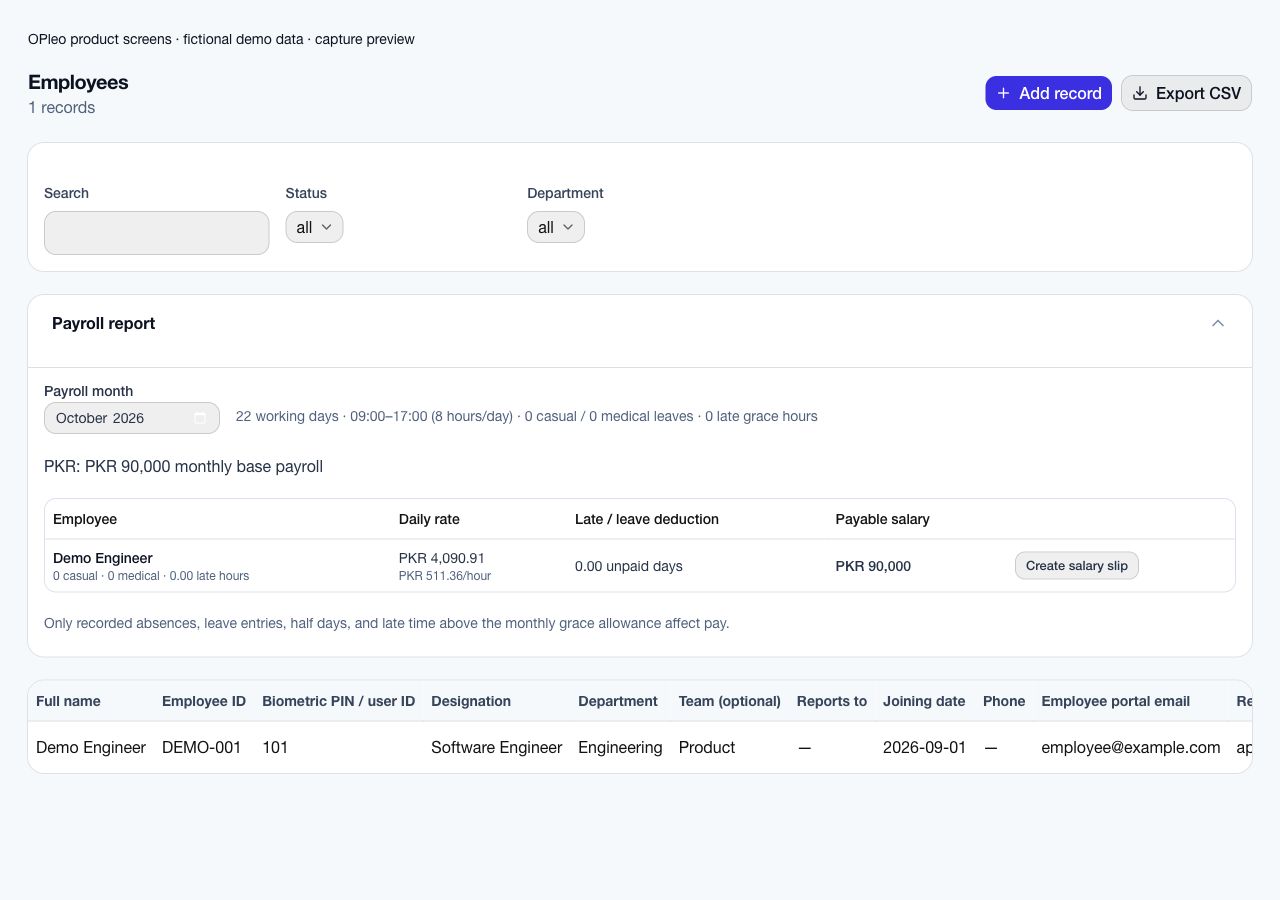
Review calendar-derived rates, attendance, leave and deductions before creating salary slips. Issuing a slip does not disburse funds.
Pilot reception and an operations group. Confirm the actual working week and office hours, approval ownership and portal permissions. Test leave with supporting documentation and a missing punch, then reconcile the selected payroll month.
Start with a redacted employee list and one reviewed attendance/payroll month. Deduplicate employee IDs, confirm salary and currency, map departments and supervisors, and check portal emails. Confirm the supported entry or import format before assuming an old workbook can upload unchanged.
Configure working weekends, office times, leave allowance and late grace. Pilot normal attendance, a missing punch, approved leave and a late arrival. Compare the preview with the same source month and record why each difference occurs.
Name the owner of attendance corrections and the payroll approver. Agree a cutover date and one authoritative record for new activity; retain historical files under your record policy. Expand after the pilot is reconciled and staff can use the request and review workflows.
Staff HR records do not establish appointment scheduling, patient records, clinical credential verification, on-call allowances or 24-hour duty rosters. Keep clinical records in the appropriate system; medical-leave evidence is staff documentation, not a patient-record workflow.
Monthly payroll previews do not determine statutory obligations. Agree tax, contributions, specialist wage calculations and final payment ownership with your responsible reviewer.
Organise reception, clinical staff and operations through employee records, departments, teams and supervisors. Maintain portal access using verified employee emails. These are workforce records; do not put patient information in a leave request, attendance note or employee task.
OPleo is not an appointment system, patient-record system or clinical credential verifier. If licence renewals or professional registration checks drive staffing decisions, establish the appropriate specialist process before rollout.
A receptionist can request leave through the portal and the configured reporting chain can review it. The supervisor still decides how the desk will be covered. An approved request does not create a replacement duty roster.
For clinical staff working on-call or overnight duties, validate scheduling and pay requirements explicitly. Organisation office hours and calendar-derived monthly salary previews do not establish a 24-hour roster engine, on-call allowances or specialist shift premiums.
Test a normal working day, approved leave, a pending request and a missing punch. Check the employee’s permitted portal records and who receives the approval. Handle staff supporting documents under the clinic’s access and retention policy.
Compare the reviewed month with the attendance source and salary assumptions. Agree who corrects records before accounts issues slips. Bring a redacted staffing example to the demo, keeping patient identifiers out of the HR review.
Inside the product
Captured from OPleo’s product components with fictional demo records. These are product views, not customer results; each capture shows a separate workflow state.
Yes. Weekend and office-time policies are stored per organisation.
Use a redacted example, your attendance setup and the decisions your team needs to make. We can review fit before you move live records.
Request a workflow demo