HR maintains the people record
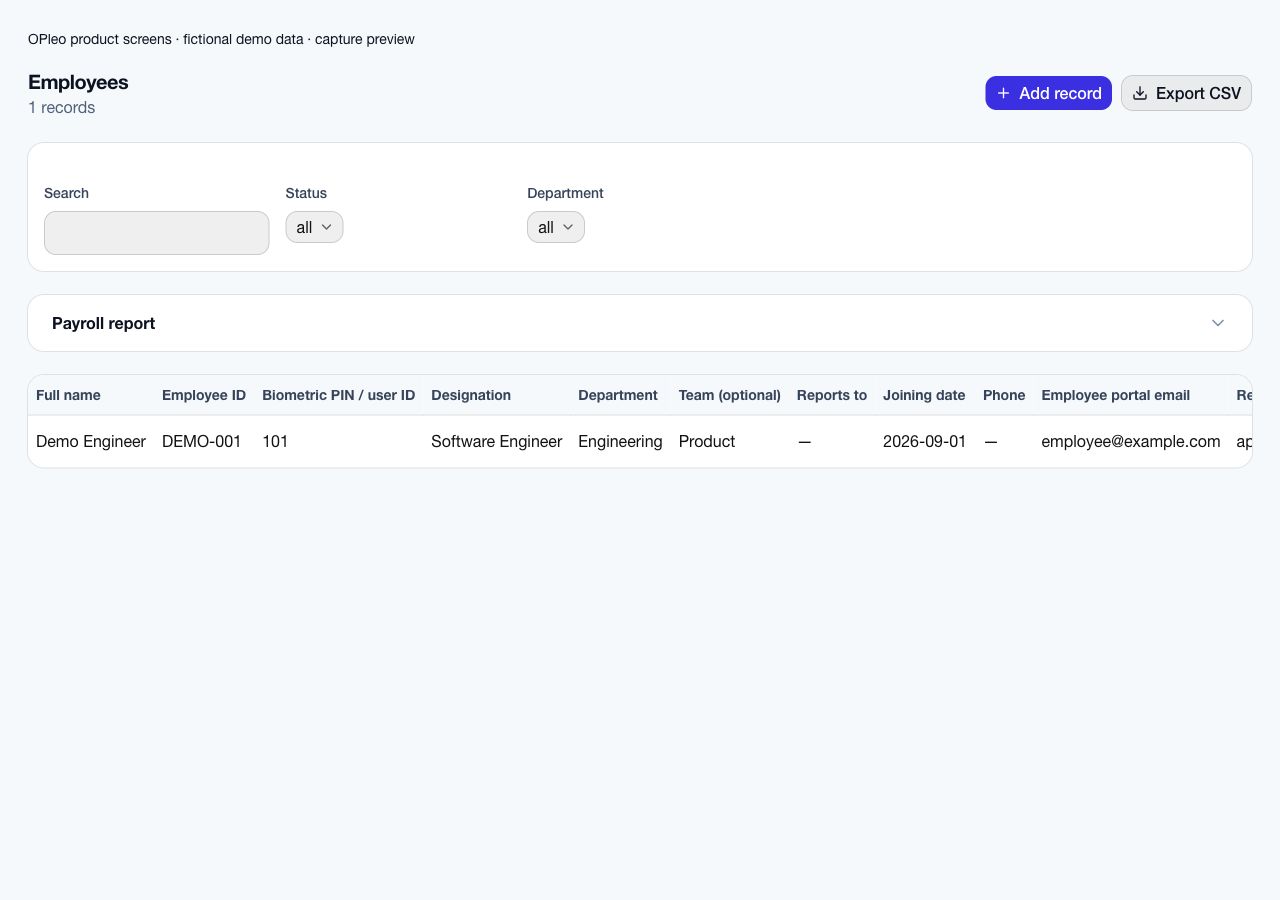
Confirm employee IDs, salary, department, reporting line, work arrangement and portal email.

Industry workflow
OPleo helps manufacturing organisations map departments and crews, match device user IDs to employees, investigate missing punches and use the resulting attendance in payroll review.
OPleo helps manufacturing organisations map departments and crews, match device user IDs to employees, investigate missing punches and use the resulting attendance in payroll review.
A supervisor reviews an incomplete device punch for a production employee. HR verifies the PIN mapping and approved leave; the attendance owner reconciles imported or synced punches before accounts reviews the month's rates and deductions. Unmatched IDs need mapping rather than being treated as absence by default.
This is a representative workflow using existing OPleo features, not an industry customer case study. Employee IDs, departments, optional teams and supervisors supply the shared context; an assigned reviewer remains responsible for corrections.
Confirm employee IDs, salary, department, reporting line, work arrangement and portal email.
Use the configured leave approval chain and assign an owner to attendance exceptions.
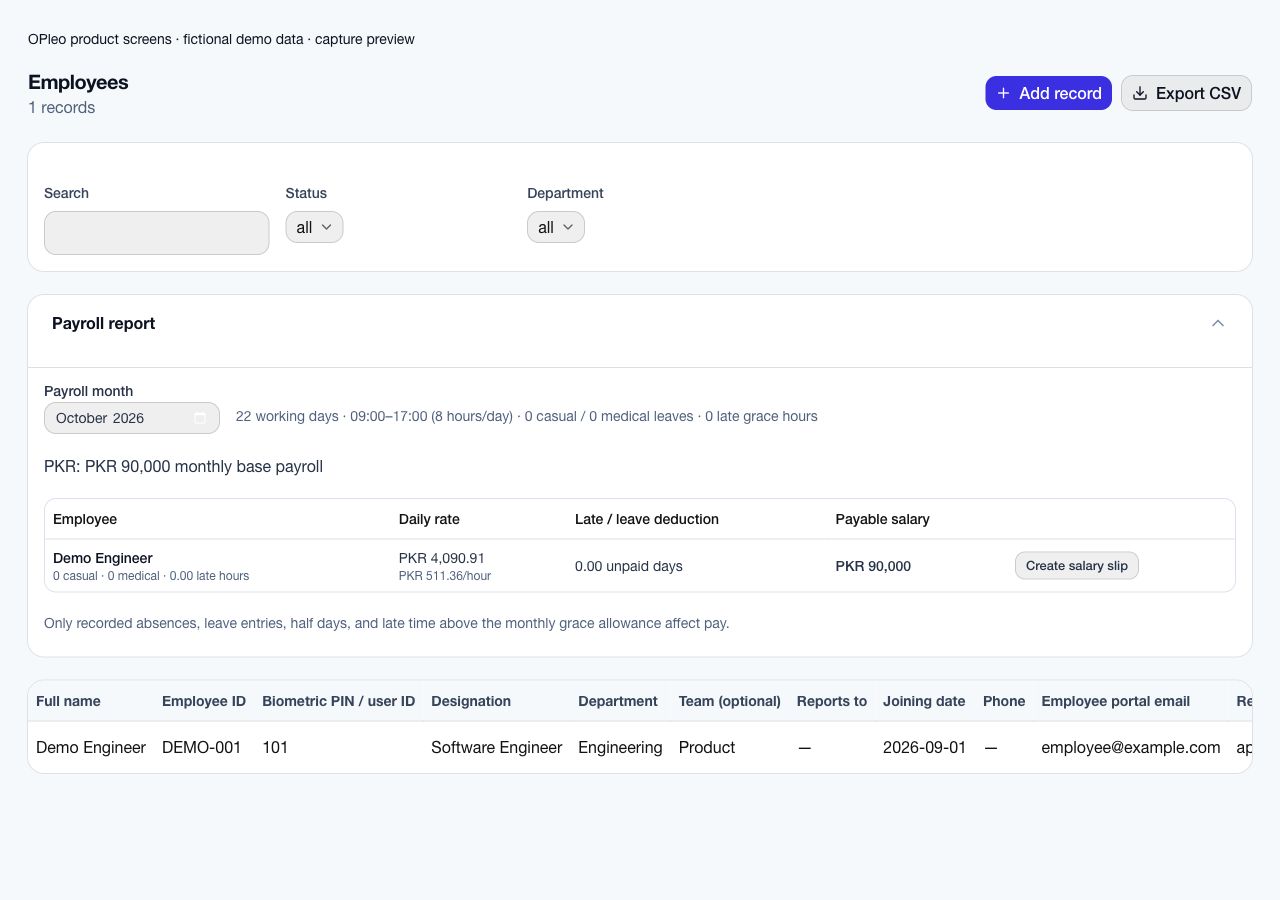
Review calendar-derived rates, attendance, leave and deductions before creating salary slips. Issuing a slip does not disburse funds.
Pilot one department and one terminal. Check actual firmware and connection mode, first/last punches, duplicates, offline recovery and unmatched PINs. Reconcile one month with the reviewed source record before expanding across crews.
Start with a redacted employee list and one reviewed attendance/payroll month. Deduplicate employee IDs, confirm salary and currency, map departments and supervisors, and check portal emails. Confirm the supported entry or import format before assuming an old workbook can upload unchanged.
Configure working weekends, office times, leave allowance and late grace. Pilot normal attendance, a missing punch, approved leave and a late arrival. Compare the preview with the same source month and record why each difference occurs.
Name the owner of attendance corrections and the payroll approver. Agree a cutover date and one authoritative record for new activity; retain historical files under your record policy. Expand after the pilot is reconciled and staff can use the request and review workflows.
Organisation office-time settings do not establish rotating-shift scheduling, overnight-shift attribution, overtime premiums, piece rates, production output tracking or machine access control. Test night-work and specialist pay requirements explicitly before rollout.
Monthly payroll previews do not determine statutory obligations. Agree tax, contributions, specialist wage calculations and final payment ownership with your responsible reviewer.
Start with employee-to-PIN mapping so a production worker's punches reach the correct record. Review sync status, unmatched IDs, incomplete punches and offline recovery. Confirm the working calendar and approved leave, then give accounts one reviewed month of attendance and salary inputs.
An unmatched PIN is a mapping question, not automatically an absence. A duplicate import or a punch arriving after an outage also needs an owner before payroll closes. OPleo's monthly salary preview can use reviewed attendance and calendar inputs, but rotating shifts, overnight attribution, overtime premiums and piece-rate calculations need separate validation.
Review supported payroll calculations →Check device connection paths and evidence →
Factory terminals can record punches across a day, but payroll also needs to know which schedule and policy applies. OPleo’s organisation office-time settings do not establish rotating shifts or overnight-shift attribution. Validate these requirements before using a daily first/last record for night work.
For a shift crossing midnight, retain the actual source times and test the resulting date assignment. Do not move timestamps merely to make the attendance screen appear complete. Agree how unsupported shift logic is reviewed outside the supported workflow.
A production employee with an enrolled PIN missing from HR may produce terminal logs without a matched employee-day record. Compare the terminal user list with employee IDs and stored PINs. Establish the correct identity before interpreting the gap as absence.
After an outage, compare recovered punches with any manual records already entered. Test duplicate imports and delayed delivery. Piece-rate pay, overtime premiums, output bonuses and machine access remain separate requirements; a working attendance connection does not establish those capabilities.
Choose one department, one terminal and a payroll reviewer. Record model, firmware, connection mode and source dates. Test normal punches, an unknown PIN, duplicate logs, a missing departure and offline recovery.
Include a night-work example if relevant and mark unsupported behavior before expanding. Reconcile the selected month with salaries, leave and calendar assumptions. Keep the production system’s output records separate from attendance evidence.
Inside the product
Captured from OPleo’s product components with fictional demo records. These are product views, not customer results; each capture shows a separate workflow state.
They are reported for mapping but do not create attendance records.
Use a redacted example, your attendance setup and the decisions your team needs to make. We can review fit before you move live records.
Request a workflow demo