Before the start date
Confirm role, employment type, joining date, reporting line and the person responsible for the employee record.

Industry workflow
Keep construction onboarding, HR records and approvals connected when head office, supervisors and site staff use different attendance processes. OPleo supports employee structure, recruitment, attendance review and monthly payroll inputs.
A missing site attendance entry can delay payroll even when head-office biometric punches are complete. A new supervisor can also change who receives a leave request. OPleo helps keep construction onboarding and those operational handoffs together, with clear limits around project assignment, location verification and specialist pay rules.
Head-office staff may use a supported biometric device while a worksite has no suitable terminal or reliable connection. OPleo allows device attendance, USB imports and administrator-entered manual records to resolve into employee-day attendance. Manual entries are recorded by the responsible workspace user; this does not imply a dedicated supervisor field app.
For a worksite, nominate who collects attendance and who enters or corrects it. Reconcile employee identifiers, date, presence and any check-in/out times before the month closes. If staff use portal remote attendance, configure their work arrangement and approvals explicitly; do not describe it as proof that they were at Site A.
| Work setting | Supported attendance path | Validation needed |
|---|---|---|
| Head office | Mapped cloud-push / ADMS device, LAN connector or USB report | Exact device model, connection and employee PINs |
| Site A with a device | Supported biometric device or USB import | Connectivity, date and missing/unmatched punches |
| Site B without a device | Administrator-entered manual attendance | Source sheet, entry owner and correction routine |
| Remote / admin employee | Always-remote or approved-date portal check-in | Work arrangement and approval; no geofence |
Review mixed-source attendance →Check device connection options →
Use departments, optional teams and reporting relationships to represent the people who work together. A company could name teams Site A, Site B and Head Office and assign the current lead, provided that structure reflects its actual reporting arrangement.
A team is not a dedicated construction project or site-assignment ledger. The current employee model has one optional team and a reporting relationship; it does not establish multiple simultaneous site assignments, historical transfers, project labour costing or GPS verification. Keep any required project-allocation record separately and validate the operating process before rollout.
When a supervisor changes, check employee reporting lines before the next request. The purpose is to make the approval owner dependable, not to claim that OPleo dispatches workers or controls site access.
Construction hiring may involve engineers, supervisors, site coordinators, project staff and temporary workers. Create each vacancy with its own department, location, employment type and hiring manager so applicants are reviewed against the role they applied for.
OPleo’s job forms support full-time, part-time, contract and internship employment types. Public applications feed role-linked candidates, with stages for screening, interview, offer and outcome. Interview records hold the reviewer and feedback; the hiring team remains responsible for suitability and required checks.
After the hiring decision, confirm employee designation, joining date, department, supervisor and attendance path. This supports the HR onboarding handoff, but does not establish a construction induction checklist, credential expiry register or subcontractor procurement system.
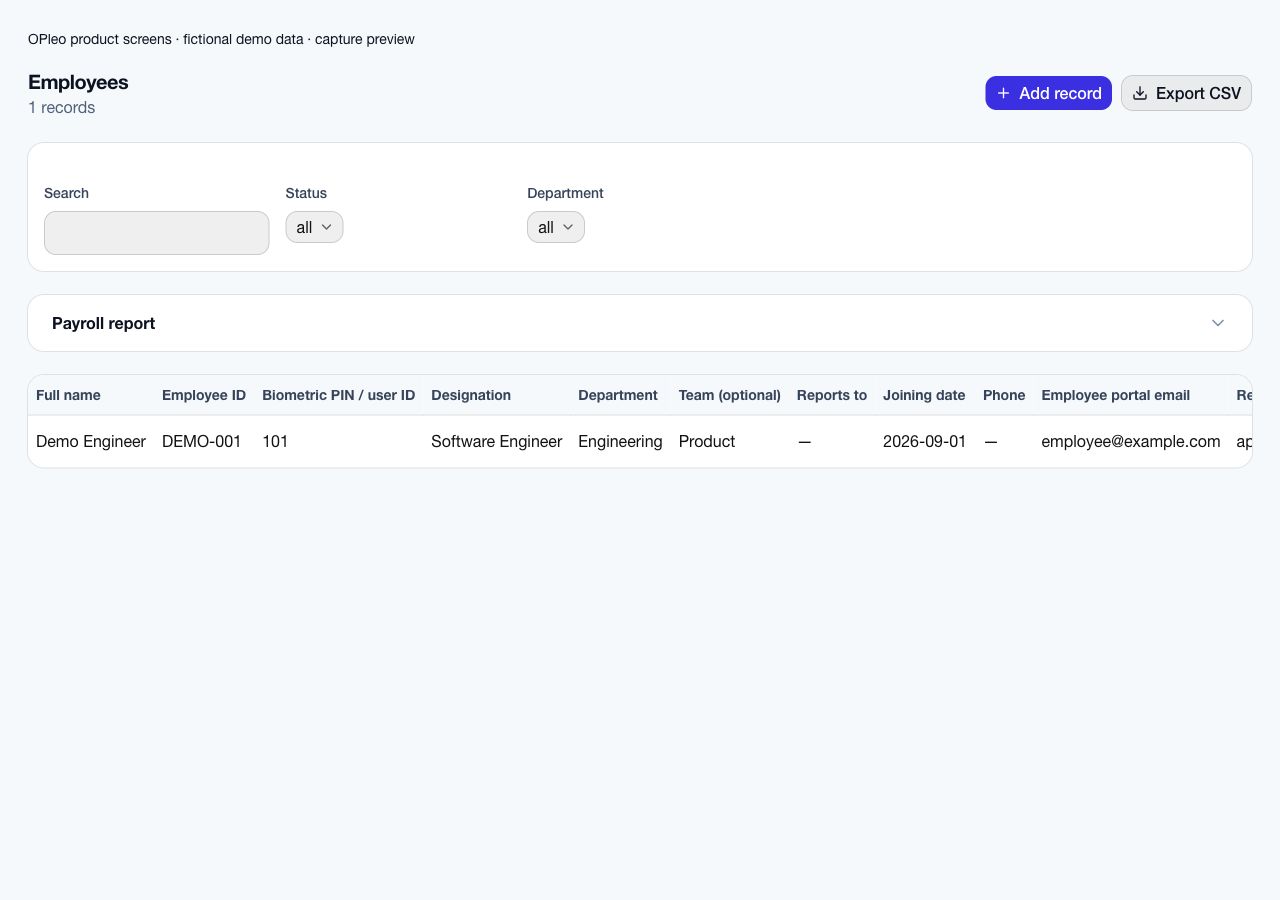
Construction HR onboarding starts with a dependable employee record and a clear first-day owner. After hiring, record the employee ID, designation, joining date, department, current team, supervisor, salary inputs and portal email. Confirm the attendance route for the office or site and map a device PIN when a supported terminal will be used.
For a site without a suitable device, agree who submits and reviews the source attendance before the first payroll close. Give the employee portal access only after checking the email and permitted records. These steps connect hiring to people operations; OPleo does not claim to automate site induction, safety certification, equipment issue or subcontractor onboarding.
Confirm role, employment type, joining date, reporting line and the person responsible for the employee record.
Verify employee details, portal access and the agreed attendance path. Map the device ID if applicable.
Check attendance ownership, working calendar, approved leave and supported pay inputs; review exceptions before issuing a salary slip.
Review employee records and portal access →Compare attendance collection paths →
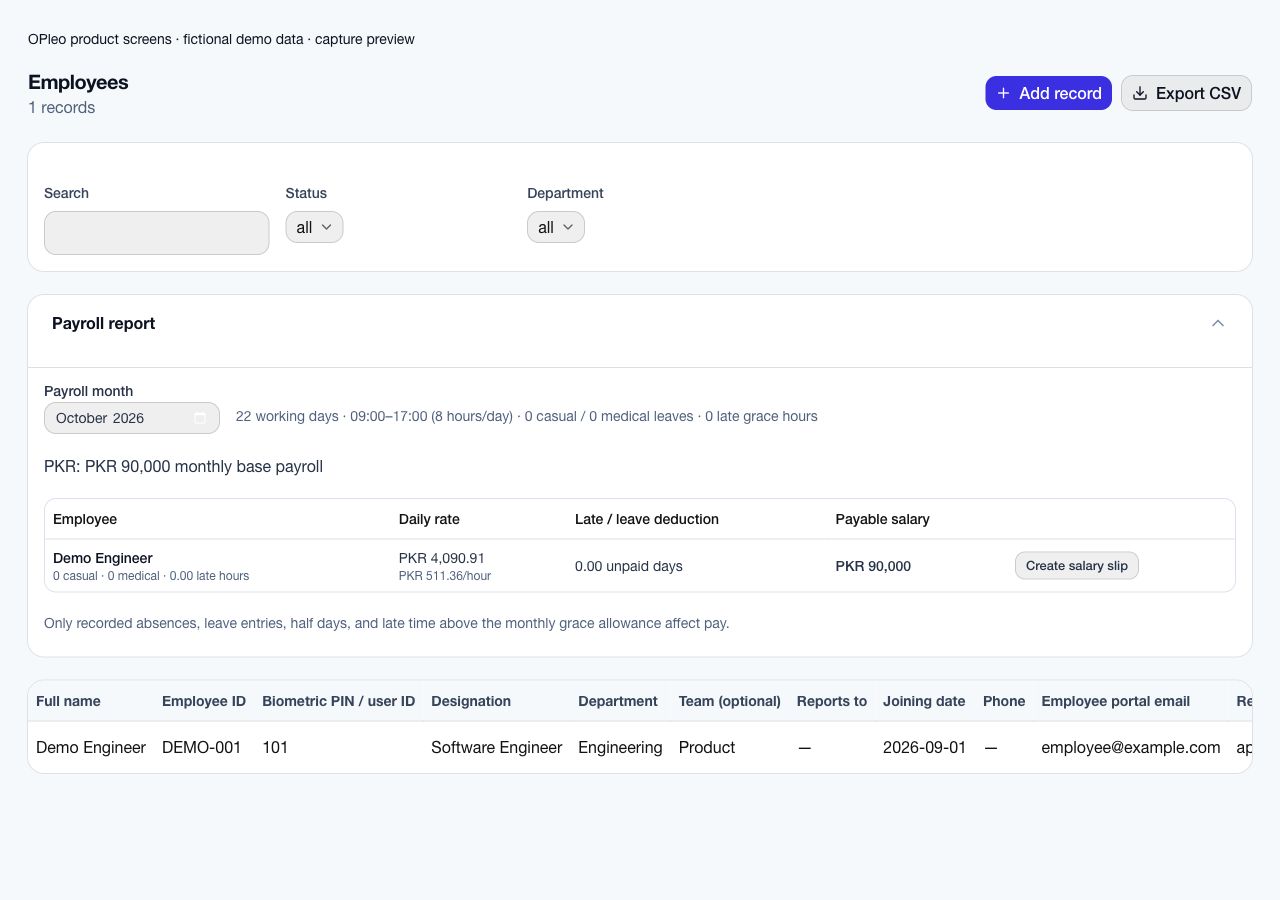
Accounts needs one reviewed month, even when Site A sends a report and head office syncs a device. Resolve missing days and incomplete punches, then verify approved leave against the correct employee and calendar. OPleo’s payroll preview uses monthly salary, working days, leave allowances and late time beyond configured grace.
Overtime is a separate validation point. Attendance timestamps can help your team review the source information, but the documented payroll calculation does not automatically apply construction overtime multipliers, daily-wage rules, piece rates or project allowances. Agree how any unsupported adjustment will be reviewed and recorded.
For example, a salaried employee’s approved leave may be within the configured allowance, while an absence or excess late time may affect the preview. Do not treat all time away as unpaid or issue a salary slip before the payroll owner reviews the calculation.
Checks identity mappings, source dates and missing punches from each collection path.
Confirms approved leave, employee status and the correct reporting relationship.
Checks calendar, base salary, supported deductions and any separately reviewed specialist pay rules.
See supported payroll scope →Review daily and hourly salary rates →
Employee records include employee ID, designation, joining date, department, optional team, supervisor, salary inputs, biometric PIN and portal email. These fields let HR distinguish two people with similar names and make the attendance-to-payroll handoff traceable.
The employee portal supports permitted personal document uploads and access. Validate the actual document workflow for contracts and joining records; it is not evidence of contract signing, an automatic renewal reminder or a site-specific compliance archive. Required document types, visibility and retention should be agreed before real records are moved.
Staff with portal access can request leave, retrieve personal records, update their assigned tasks and submit daily work updates. Supervisors use reporting lines for task ownership. These give an individual a defined channel for requests and handoffs instead of relying only on a message group.
They do not establish a specialist employee engagement platform: no construction engagement survey, sentiment score, rewards programme or pulse-survey workflow is assumed. If those are your main buying requirements, validate them separately rather than choosing OPleo on the strength of an engagement keyword.
Choose a representative site and office group. Clean identifiers and reporting lines, agree who enters manual attendance, and test device mapping where used. Record a missing punch, an absence and an approved leave request to see how corrections reach accounts.
Reconcile a payroll preview with the reviewed source month and document any outside overtime or wage calculation. Expand only after staff know which record is current and who approves corrections. Bring your site roster, a redacted attendance sheet and specialist pay rules to the demo.
Plan a controlled move from spreadsheets →Book a construction workflow demo →
Inside the product
Captured from OPleo’s product components with fictional demo records. These are product views, not customer results; each capture shows a separate workflow state.
Yes. Supported device punches, USB imports and manual attendance can feed employee-day records. Assign an owner to each source and reconcile exceptions before payroll.
You can use departments and optional teams with supervisors to represent the current workforce structure. This is not a dedicated project/site assignment ledger or multi-site transfer history.
The documented payroll preview uses monthly salary, working calendars, attendance, leave and late grace. Automatic overtime multipliers, daily wages and piece rates are not established; validate them separately.
Job openings support contract and other employment types, public applications, candidate stages, interviews and offers. Suitability checks and onboarding remain the company’s responsibility.
No. Portal attendance records a permitted check-in/out action. It does not provide GPS or geofenced site-presence verification.
It provides employee requests, personal records, tasks and work updates. Specialist engagement surveys, sentiment analytics or rewards programmes are not assumed capabilities.
Use a redacted example, your attendance setup and the decisions your team needs to make. We can review fit before you move live records.
Request a workflow demo